



Skip to content

CLICKI / FOR CREATORS

Your first videostarts right here.

Your phone. Your perspective. A brief from a brand. Everything you need to start filming in your own style.

  • New creators welcome
  • Choose your own topics

How to start on CLICKI

In Russian · 1:56

The video shows an earlier interface. Getting started is shorter now. Find current tasks, contests and reward terms in your workspace and each brief.

Prefer reading? Here’s the short version
  1. Create your account

    Use your email and a separate CLICKI password. Your Google or Telegram password is not needed.

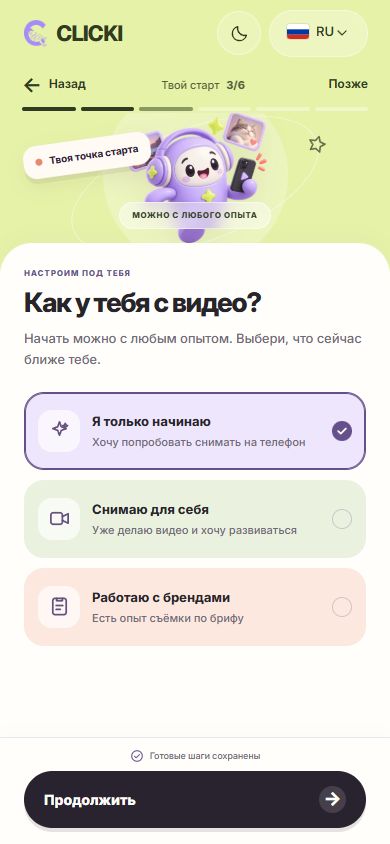
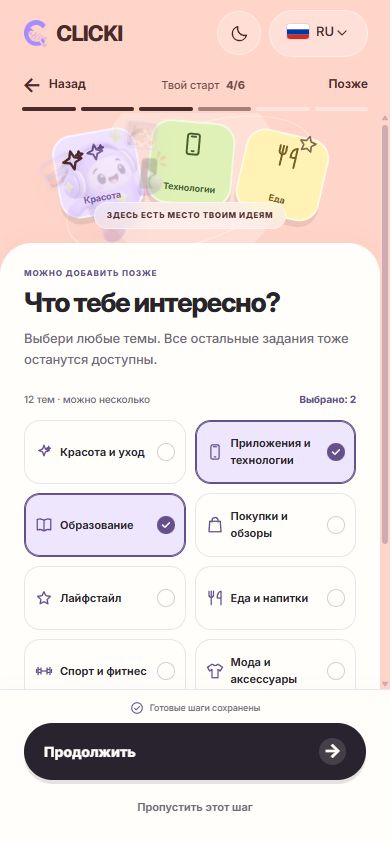
  2. Answer a few short questions

    Experience, topics and platforms help the team get to know you. Optional steps can be skipped and completed later.

  3. Choose a suitable task

    Read the full brief: what to film, where to publish, the deadline and reward terms.

  4. Film and submit your work

    Follow the brief. Add the publication link and required information in your workspace.

  5. Follow the review

    Your work card shows its status and feedback. Make any requested revisions and send an update.

  6. Check the result

    Per view, per video or barter — the brief defines the model. Accrual, payment requests and receipt are separate steps.

01 / START

Start with your phone.

Film in your own style. Choose a task whose brief you can deliver.

02 / BRIEF

Read the terms first.

Then start filming. The brief lists requirements and the reward model in advance.

  • Per view
  • Per video
  • Barter
03 / CREATE

You can ask for help.

The team is here for questions about tasks, revisions or your next step.

How to film your first video

Film wherever it’s comfortable for you

InstagramTikTokYouTube

01 / Why come to us

What you get

More than just a video.
01

Available tasks

Choose open briefs for your topic and platform. Task availability changes.

02

A clear first step

Start with one idea and the requirements of a specific brief.

03

Original work

Film your own shots and check their reuse rights.

04

A team to turn to

Ask about a brief or requested revisions. Find feedback and your next step in your workspace.

05

Phone filming

A phone is enough for many formats. Quality, location and timing depend on the task.

06

Each work’s status

Follow review, revisions and calculations in your dashboard. Views alone are not a payout.

02 / From an idea to your first work

Brief, filming, publication — a clear path for a creator.

A creator filming a product video at home by the window
Reels · TikTok · Shorts

Film your own story from a brief

Choose a suitable brief, film an original video and publish on the agreed platform. Earnings depend on eligible views, acceptance and the task terms, including the counting period and limits.

A portfolio that works for you

Keep your ideas and learn from specific feedback. Before publishing a client video in your portfolio, check the usage rights and brief terms.

03 / Process

How it works for a creator

Two creators filming an unboxing together on a phoneFrom your phone to the feed.CREATE.
CONNECT.
CLICK.
  1. 01

    Create an account

    Review the rules and available sections.

  2. 02

    Choose a brief

    Check requirements, timing and terms.

  3. 03

    Film and publish

    Following the brief.

  4. 04

    Submit your work

    Add the publication link and follow its review.

04 / Requirements

Your phone.Your starting point.

You don’t need a studio to start. Bring your perspective, a phone, and the desire to create.

YOUR PHONE. YOUR PERSPECTIVE.

What you need to start

A publishing account

A public profile on the brief’s platform is needed to publish the work.

Original content

You film it yourself per the brief.

Phone with a camera

Decent shooting quality.

Ready to grow

The drive to move forward.

05 / FAQ

Let’s figure it out.

Creator FAQ

Still have questions? Get in touch
How do I start filming with you?

Watch the short guide on this page, create an account and open Tasks. Choose an available brief and check its requirements before filming. If anything is unclear, ask the team from your workspace.

Can I start without experience?

A large portfolio is not required. You do not need to connect all social accounts to register; to publish work you need a public account on the brief’s platform and original footage that meets its requirements.

How much time does the work take?

It depends on the script, filming, editing and revisions. The brief lists the submission deadline. Only take a task if you can meet its requirements on time.

How are earnings calculated?

The brief specifies the model: verified views, an accepted video or barter. Rates, timing and limits depend on the task. Accrual and payment are separate stages; check final calculations in your workspace and terms in the brief and offer.

Where do I submit the video?

In My work, attach the published video link and choose the brief and platform. Add analytics if required. The work card will show its status and the team’s feedback.

LET’S CLICK.

Start as a creator

Create an account and explore available tasks. The short guide on this page helps with your first step. Before taking work, read the brief and offer: each task has requirements, a deadline and reward terms. Registration does not guarantee an order or income.